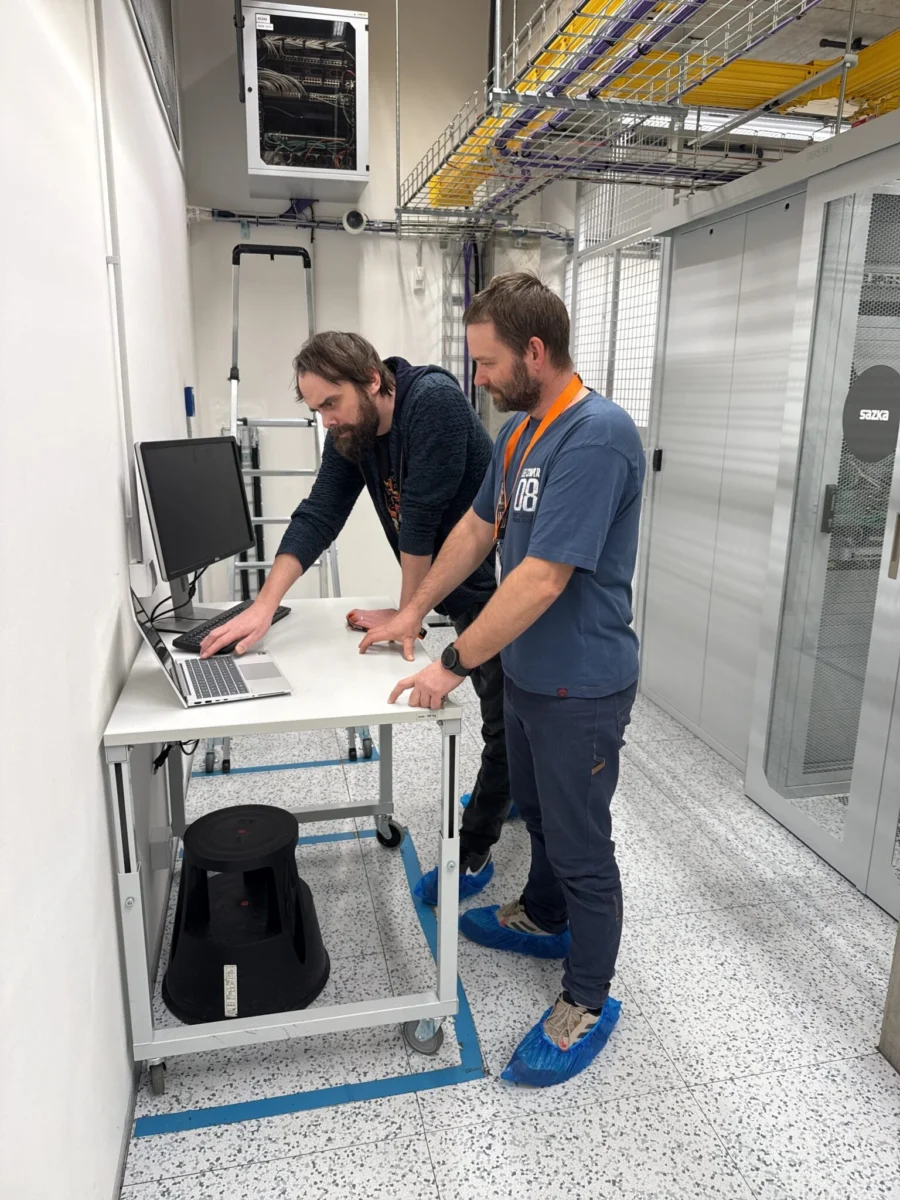
You have servers in a data centre in Prague and need to reboot hardware, replace a disk or plug in a new cable - but you can't be there in person. This is exactly what Remote Hands is for. A data center technician will perform the physical action on your hardware according to your instructions, without the need for your personal presence.
This article explains what Remote Hands actually involves, in what situations you will use the service, how to communicate with a technician and what to ask when choosing a provider.
What is Remote Hands
Remote Hands is a data center service in which a qualified technician performs physical tasks on a client's server infrastructure. It is a complement to remote management - it covers situations where on-site physical intervention is necessary.
Unlike managed services, where the provider takes responsibility for managing the entire infrastructure, with Remote Hands, the management remains entirely up to you. You decide what needs to be done, and the technician does it. It's your extended hand in the data center.
Typical Remote Hands actions
The service covers a wide range of physical interventions. The most common include:
- Hardware restart - Physical restart of a server, network element, or storage device when a remote restart does not work or is not possible.
- Replacing components - Replacing a disk, memory module, power supply, or other hot-swap component.
- Cabling - connecting or reconnecting network, power or fibre optic cables.
- Visual inspection - checking the LED indicators, the physical state of the hardware or verifying that the device is actually running.
- Installation and dismantling - rack-mount of new server, dismantling of discarded hardware.
- Logistics - taking delivery of hardware, storage and preparation for installation.
- Diagnostics - connecting the console cable, reading error messages from the display, taking pictures of serial numbers or labels.
- Connectivity testing - verification of physical connection, patch panel check, port identification.
When to use Remote Hands
Remote Hands is not just a service for crisis situations. In practice, companies use it on a regular and planned basis because it saves time, travel costs and eliminates the need to have their own technician on call.
Scenario 1: Unplanned outage
Server stopped responding, remote restart doesn't help. You need someone to physically push a button or disconnect and reconnect the power. Without Remote Hands, you have to send your technician - which means hours of extra downtime at night, on the weekend, or from a remote city.
Scenario 2: Planned maintenance
You need to replace a disk in a RAID array, add a memory module, or install a new network element. Instead of making a day-long trip to the data center, send the technician instructions and he'll perform the replacement within the agreed-upon window.
Scenario 3: Receiving and installing hardware
You ordered a new server. A courier will deliver it to your data centre address, a technician will take it over, unpack it, mount it in a rack and wire it according to your specifications. You connect remotely and complete the software configuration.
Scenario 4: Audit and inventory
You need to check the serial numbers, take pictures of the labels on the back panels of the servers, or verify the physical wiring. A technician will walk through your rack and provide the documentation you need.
Scenario 5: Migration and reconnection
You're moving infrastructure to another rack, adding cross-connect, or changing connectivity providers. Remote Hands will provide physical reconnection on your schedule.
How Remote Hands works in practice
The process is usually straightforward. It starts with a request - by email, ticket or phone call - and ends with a confirmation of completion.
Standard course
- Sending a request - describe what you need to do, on what hardware and in what rack. The more specific the instructions, the faster and more accurate the execution.
- Confirmation and time estimate - The technician will acknowledge receipt of the request and estimate the lead time.
- Version - the technician will perform the operation according to your instructions. If you are unclear, he will contact you for clarification.
- Documentation and confirmation - you will receive a report on what has been done. For more complex interventions, this may include photo documentation.
Communication during intervention
For more complex tasks (such as migration or diagnostics), communication is real-time - the technician is available on the phone or in chat while you monitor the status remotely. This combination of the technician's physical presence and your remote monitoring allows you to handle even complex situations without the need for a personal visit.
What to ask when choosing a Remote Hands provider
Not all data centres offer Remote Hands to the same extent and quality. When choosing a provider rackhousing it is worth checking a few key parameters.
Availability
Does the service work 24/7/365 or only during working hours? The servers do not respect working hours and outages come at any time. Technician availability outside of business hours is critical.
Reaction time
How soon after sending the request will the technician start working? For unplanned outages, minutes are the difference. A clearly defined response time in the SLA is a must.
Qualification of technicians
Who will work on your hardware? The technician should have experience with rack infrastructure, cabling, basic diagnostics and physical handling of server hardware. For specialized tasks (such as working with fiber optics or specific hardware), verify that the technician can handle it.
Accounting
How is the service charged? The most common models are an hourly rate (you pay for actual time worked) or a flat rate package (prepaid number of hours per month). Some data centers include basic tasks (reboot, visual inspection) in the price of rackhousing.
Documentation and reporting
Do you receive a written report after each intervention? Photo documentation? A record of what was done and when? Good documentation is important not only for inspection but also for the audit trail.
Remote Hands and security: who has access to your hardware
Legitimate question: if a data center technician can physically tamper with your hardware, what about security?
Professional data centers address this issue with several layers of protection. The technician's access to your rack is based on pre-agreed rules - an authorization letter defines who is allowed to intervene and under what conditions. Every intervention is logged, often including camera footage.
For certified plants (ISO 27001, ISAE 3402), physical access is part of the audited processes. This means that the technician's workflow is subject to audited conditions - not that someone simply opens a rack and starts working.
The level of access is also important. A Remote Hands technician typically works only at the hardware level - plugging in cables, changing components, rebooting devices. They don't have access to your data, operating systems or applications. If software access is needed, it is handled separately and with the client's explicit consent.
For clients that process sensitive data or are subject to regulatory requirements, it is recommended to agree on specific security protocols for Remote Hands - for example, notification before each intervention, photo documentation of before and after status, or limitations to predefined types of actions.
Remote Hands as part of a disaster recovery plan
Many companies forget to include Remote Hands in their disaster recovery plan. Yet in a crisis situation - a server outage, hardware failure, the need for a quick reconnect - on-site physical assistance is crucial.
It is recommended to have instructions for the most common crisis scenarios prepared in advance: what to do in case of a main server failure, how to switch to a backup solution, who to contact and in what order. The Remote Hands technician can then respond immediately according to the pre-agreed procedure, without waiting for your instructions.
Remote Hands vs. managed services: what's the difference
The line between Remote Hands and managed services is sometimes blurred, but the key difference is the level of responsibility.
With Remote Hands, you tell it what to do. The technician is the executive - carrying out your instructions. The responsibility for the decision and configuration remains with you.
With managed services, the provider takes responsibility for the operation of your infrastructure - monitoring, updates, incident resolution, backup. You define what you want to run, and the provider makes sure it runs.
Many companies combine both approaches - managing the infrastructure themselves, but using Remote Hands for physical operations. Other companies start with managed services and gradually move to self-management with Remote Hands support as their IT team grows.
How much does Remote Hands cost
Prices vary depending on the provider and the range of services. The basic charging models are:
- Hourly rate - you pay for the time you actually work. The typical rate in Czech data centres is in the hundreds of crowns per hour.
- Lump sum package - a prepaid number of hours per month, usually with a lower unit price.
- Included in the price of rackhousing - some data centers include basic tasks (simple reboots, visual checks) in the monthly rackhousing fee.
The exact price is always obtained on the basis of an individual request, as it depends on the type and frequency of the required services.
Remote Hands in SafeDX Server Hotel
SafeDX offers a service RemoteHandsDX as part of its portfolio of services in the data centre in Prague 9 (Vysočany). SafeDX technicians are available for physical interventions on client infrastructure - from simple reboots to more complex installations and diagnostics.
The service is available to all clients using rackhousing in SafeDX. For details on the scope of services, response times and terms and conditions, please contact us for an individual consultation.
If you are interested in specific terms and conditions of Remote Hands in SafeDX - 24/7 availability, response times, scope of included tasks or billing - write to us via contact form. Your enquiry will receive a business contact Petr Lukas and prepare a quote based on your infrastructure.
Frequently Asked Questions
What is Remote Hands in the data centre?
Remote Hands is a service where a data centre technician performs physical actions on your hardware according to your instructions. It covers situations where physical intervention is necessary - from rebooting a server to installing new hardware.
When do I need Remote Hands?
Whenever you need physical intervention on your hardware in the data centre and you can't or don't want to be on site in person. Typically, this includes unplanned outages, scheduled maintenance, receiving and installing new hardware, or diagnostics.
How does Remote Hands differ from managed services?
With Remote Hands you decide and instruct, the technician performs. With managed services, the provider takes responsibility for the overall management of the infrastructure. Remote Hands is a reactive on-demand service, managed services is proactive ongoing management.
How much does Remote Hands cost?
The price depends on the provider and the billing model - hourly rate, flat rate package or included in the price of rackhousing. You can get a specific price on the basis of an individual inquiry.
Do I need Remote Hands if I have my own IT team?
Yes, even companies with their own IT team use Remote Hands. Your team doesn't need to be physically in the data center - they can manage the intervention remotely while the technician does the physical work. This saves time and commuting costs.
Are Remote Hands available 24/7?
It depends on the provider. For professional data centers, 24/7/365 availability is the standard because the server infrastructure does not respect business hours. Always check this parameter when choosing a data center.
How do I give instructions to the technician?
Usually by email, ticket or phone. The more specific instructions you provide (rack number, server position, exact description of the task), the faster and more accurate the execution will be. For more complex interventions, the communication takes place in real time.
Can a Remote Hands technician configure the software on my server?
Remote Hands typically covers physical tasks - hardware, cabling, visual checks. Software configuration (OS installation, network setup) falls more under managed services. However, some providers offer extended Remote Hands that also include basic software tasks as instructed.
How is my data protected when a technician intervenes?
A Remote Hands technician works at the hardware level - they don't have access to your data, operating systems or applications. In certified data centers, every physical intervention is logged and follows authorization rules. For sensitive infrastructures, specific security protocols can be agreed upon, such as notification before each intervention or photo documentation of the hardware status before and after an intervention.